A Foodie Book Review

 The thing is…

…when I started blogging, ooh, ages ago, it was going to be a food blog. And about computers. But suddenly, politics got a bit too intrusive in our lives, and I ended up writing quite a lot about the dreadful crooks who were messing up everything for everyone.

Don’t panic! I am not going to stop lambasting the criminal gang who have hijacked our country, and dragged us unwillingly out of the EU. [Yes, I can justify that claim, and probably will quite soon.]

But… but there are a lot of really good food blogs, mostly about restaurants I couldn’t afford to eat in, even if I wanted to eat their rather too fancy food. And how do you even begin to compete with Jay Rayner’s restaurant reviews, especially the magnificent ones where he really dislikes both the restaurant and the food?

Loaf Story
A Love Letter to Bread

And then, he only went and started writing about cookery books, a while before I had come up with the idea, and doing it really well, the monster. However, there’s this book that I chose as a birthday present for myself…


You know how some books are so good that you keep reading bits out to the significant other in the room? This book has so many bits like that, that the ordinary bits are hard to find.

It’s by Tim Hayward, whose “Food DIY” was the inspiration for a lot of my early blog posts about things like home made charcuterie. It’s a book with recipes, not a recipe book. 

You might think that a book based on bread, with sections on toast, sandwiches, and various bread-based concoctions would be a bit ordinary. I took this to bed, to read myself to sleep. Bad mistake. I was laughing my head off for hours, fascinated also by the interesting footnotes. Yes, this book has footnotes. The author reveals his opinions about many food items that people have firm opinions on, like Marmite, salad cream – has to be Heinz, but he tells you how to make your own, baked beans – must be Heinz, and not the low fat, sugar, salt version. I suppose the fact that I agree with him on all these things explains in part why I think this is a truly great book.

Weird stuff in recipes, part 94.

 Weird.

“After boiling for six to six and a half minutes, she cools them under cold water, peels, then fries in a pan filled a third of the way up with 160C sunflower oil (if you don’t have a thermometer, drop in a cube of bread and it should turn golden in 25-30 seconds).”

No. If you don’t have a thermometer, get a thermometer. They’re not expensive. Standing there, timing cubes of bread until one turns “golden” in the right time is silly.


Much improved Pi Assistant message reader.

The most important improvement is that this program now works… 😎 

I just leave it running on the Pi Assistant, along with the Google provided assistant_library_with_button_demo.py program that I like to use, when I want to ask the Google Assistant something…

#!/usr/bin/python3
#
# Program to run on PiAssistant, to watch for newly arrived text files in
# /home/pi/Messages that it should speak, and delete them once it has.
import os
import paramiko
import time

path = “/home/pi/Messages/”

while True:
    with os.scandir(path) as entries:
        for entry in entries:
            f = open(entry, “r”)
            content = f.read()
            f.close()
            command = “python ~/AIY-projects-python/src/aiy/voice/tts.py “” +
                      content + “” –lang en-GB –volume 10 –pitch 60 –speed 90″
            os.system(command)
            os.remove(path+entry.name)      
            # Now wait for tts.py to finish
            command = “ps -ef | grep -v grep | grep “voice.tts” | wc -l”
            while True:
                ssh_stdin, ssh_stdout, ssh_stderr = ssh.exec_command(command)
                answer = str(ssh_stdout.read())
                if answer[2] == “0”:
                break           
            time.sleep(0.5)
    time.sleep(0.5)

And here is a program to run on a cluster of Raspberry Pi computers, as say_who.py, which will each send a message to the Pi Assistant, from each core of the processor. The assistant will read them out, separately. It does seem still to lose some messages, and if I work out why, I will let you know! I have been searching for simple example programs for Raspberry Pi clusters on the internet for ages, and have not found very many. Here’s my little gift…

#!/usr/bin/python3
from mpi4py import MPI
import os
import time
import subprocess as sp
# Attach to the cluster and find out who I am and what my rank is
comm = MPI.COMM_WORLD
my_rank = comm.Get_rank()
cluster_size = comm.Get_size()
my_host = os.popen(‘cat /etc/hostname’).read().strip()
    
# Make something for the assistant to say
speech = “Host is  {} “.format(my_host)
speech = speech + “Rank {} “.format(my_rank)
# Make a unique filename and path
message = “/home/pi/” + my_host + str(my_rank)
          + time.strftime(“%H%M%S”) + “.txt”
# Put the speech in the file
fp = open(message,”x”)
fp.write(speech)
fp.close()
# Put a copy of the file on PiAssistant
cmd = “scp ” + message + ” pi@PiAssistant:/home/pi/Messages/”
sp.call(cmd,shell=True)
os.remove(message)
You would load that program on each of the Pi machines in your cluster, and then set it running using the command

mpiexec -n 16 -hostfile myhostfile python3 say_who.py

I’m assuming you have four Pi 3 machines in the cluster, hence the -n 16 parameter. 

#RaspberryPi #Cluster #Python

A new program for Google Voice AIY

My earlier post, about a function that could send things to the Google AIY Raspberry Pi Assistant, and supposedly prevent more than one message being spoken at a time, was errmmm, wrong. That’s a technical term, that we programmers use.

I wrote a test program for my Pi cluster, whereby each of the sixteen cores would announce its hostname and rank. It’s not all that often you get the opportunity to use the word cacophony, but…

Basically, several processes could all think the Assistant was not busy, and they all sent messages in the time it took for the first message to start being spoken.

I spent a while looking at how to program mutual exclusivity for a resource, and was impressed by how complex such an apparently simple thing can get.

I decided that what was needed was a simple program, running on the Assistant, that would watch a directory, notice when a file to be spoken arrived, and speak the text in that file. Python makes it easy to deal with more than one file in the directory. Here’s what I wrote…

#!/usr/bin/python3

#
# Program to run on PiAssistant, to watch for newly arrived text files in
# /home/pi/Messages that it should speak, and delete them once it has.
import os
import time
path = “/home/pi/Messages/”
while True:
    with os.scandir(path) as entries:
        for entry in entries:
            f = open(entry, “r”)
            content = f.read()
            f.close()
            command = “python ~/AIY-projects-python/src/aiy/voice/tts.py “” +
                      content + “” –lang en-GB –volume 10 –pitch 60 –speed 90″
            os.system(command)
            time.sleep(0.5)
            os.remove(path+entry.name)
    time.sleep(0.5)

When it spots one of more files in the Messages directory, it reads the text, and sends it out to be spoken. It can supposedly only do one file at a time, but… Still the cacophony!    

#RaspberryPi #GoogleAIY #Python            

How not to make a Twitter poll.

A Question of Saffron

Something or other reminded me recently that I can’t seem to detect the smell or taste of saffron. A lot of people love it, and write passionately about it. They’ve smelled it being brought to them even before the waiter came through the kitchen door. They say they’ve had it explode in their mouth. And I have missed out… 

I wondered whether it was just me, or a fairly common thing, to be unable to smell and taste saffron, so I made a Twitter poll.


It was worded very poorly. To be fair to myself, at the time, I didn’t think about it at all carefully. The result was that it didn’t work the way I had expected.

A lot of people thought this was a question about whether saffron is wonderful, whether it is over-priced, or any of several possible interpretations. What I should have actually asked was “Can you smell and taste saffron”. Like this…


Of course, this isn’t good enough, either, as it discriminates against people who want to say that they can’t afford saffron, or have never heard of it. But the worst thing is, all we can tell from the result of the original poll is that about half the people who saw the poll, and answered it,

  • like the smell of saffron

and about half of them 

  • think it is too expensive.
which actually tells us nothing at all about how many people can detect the taste and smell of saffron, and how many cannot.

Conclusion

Polls. We see lots of them quoted, and they are mostly about politics, and are supposed to let us know how people think about things that matter rather a lot more than whether one can detect saffron.

And a lot of those polls are even less well designed than mine. Some are even designed to make people draw the wrong conclusion, and it’s not easy to tell which ones those are, is it?


Using Google AIY voice.

Using Google AIY voice, part 94.

I wrote a useful function, so that any of my Raspberry Pi machines could send a string to the Google Assistant as a message to be spoken aloud, and it worked very well. Here it is…
# A function to send a string to PiAssistant for output as speech
import paramiko

ssh = paramiko.SSHClient()
ssh.load_host_keys(filename=’/home/pi/.ssh/known_hosts’)
ssh.set_missing_host_key_policy(paramiko.AutoAddPolicy())

server, username, password = (‘PiAssistant’, ‘pi’, ‘your_password-goes_here’)
def say_this_with_assistant(say):
    ssh.connect(server, username=username, password=password)
    command = “python ~/AIY-projects-python/src/aiy/voice/tts.py “” + say + “” –lang en-GB –volume 10 –pitch 60″
    ssh.exec_command(command)
    ssh.close()
    return 

print(“Starting…n”)
say_this_with_assistant(“Normal service will be resumed as soon as possible. “)
print(“Finished.n”)

The snag occurs when two, or more, machines want to say something at the same time. The PiAssistant calmly multitasks, and says the strings at the same time, which sounds interesting, but tends to be incomprehensible. I hoped that voice/tts.py would have some way of letting other programs know whether it was busy, but it doesn’t. However, the low level Linux ps command can tell when voice/tts.py is running, so I added a check for that as a Paramiko command, like this…

# A function to send a string to PiAssistant for output as speech when it’s free
import paramiko
import time
ssh = paramiko.SSHClient()
ssh.load_host_keys(filename=’/home/pi/.ssh/known_hosts’)
ssh.set_missing_host_key_policy(paramiko.AutoAddPolicy())
def say_when_free(say):
    server, username, password = (‘PiAssistant’, ‘pi’, ‘your_password-goes_here‘)
    ssh.connect(server, username=username, password=password)    
    command = “ps -ef | grep -v grep | grep “voice.tts” | wc -l”
    while True:
        ssh_stdin, ssh_stdout, ssh_stderr = ssh.exec_command(command)
        answer = str(ssh_stdout.read())
        if answer[2] == “0”:
            break
        
    command = “python ~/AIY-projects-python/src/aiy/voice/tts.py “” + say + “” –lang en-GB –volume 10 –pitch 60″
    ssh.exec_command(command)
    ssh.close()
    return 
print(“Starting…n”)
say_when_free(“I waited until I was allowed to say this. “)
print(“Finished.n”)
I’m not going to claim  any of this as properly written Python, the best way to do what is required, or even particularly original, but it does currently seem to be the only description of how to do this that’s on the internet.

Google Assistant

Google Assistant updates. 

Once I had my Google Assistant running Raspbian Buster, and verified that it could not only answer spoken questions, but also speak text sent to it by other computers, I made a bad mistake.


As a rule, it’s a good idea to keep a Raspberry Pi’s operating system up to date. Not on this system, it turns out!

I found that doing so stops the microphone working. Other people have also found this, according to the internet, dating back to 2018.

It was simple enough to fix, once I knew that the update was the cause of the trouble. I just flashed the micro SD card again, and copied my configuration files back onto it. Just like that, it was all working again. The files you need to copy back on are assistant.json client_secrets.json and credentials.json, if you were wondering.

In order not to let the same unpleasantness happen again, I disabled the update programs apt and apt-get, using the commands

sudo chmod a-x /usr/bin/apt
sudo chmod a-x /usr/bin/apt-get


Huge struggle with Google Assistant

 Google Assistant

I really like this thing, it’s a Raspberry Pi 3B+, with a Google AIY Voice HAT, and a nifty acrylic case instead of the original cardboard one.


I’ve had it for a while though, and it was still running Raspbian Jessie. Nothing wrong with that, but there are new versions of the AIY Voice software, that can do more things than the original software. I’d rather like my other Raspberry Pi systems to be able to use it as a voice input and output, for example. To do that requires Raspbian Buster…

So that I wouldn’t lose all the setup information on the Micro SD card, I decided to upgrade in place. Bad idea!


The upgrade, two steps, via Raspbian Stretch, takes hours. Stretch booted OK, though, so I continued. Buster wouldn’t boot up…

All that took over half a day, and it didn’t work.

After a bit of head scratching, and a certain amount of exercising my extensive vocabulary of rude words, I did what anyone sensible would have done in the first place, and downloaded a ready-made image, from GitHub and flashed the micro SD card with Balena Etcher.

I had saved copies of the setup information files handy, which I copied in with WinSCP (freeware that’s so great I paid for it!), rebooted the Pi, and suddenly it worked!

The Nebra Anybeam HAT

 Is the Nebra AnyBeam “HAT” a secret?

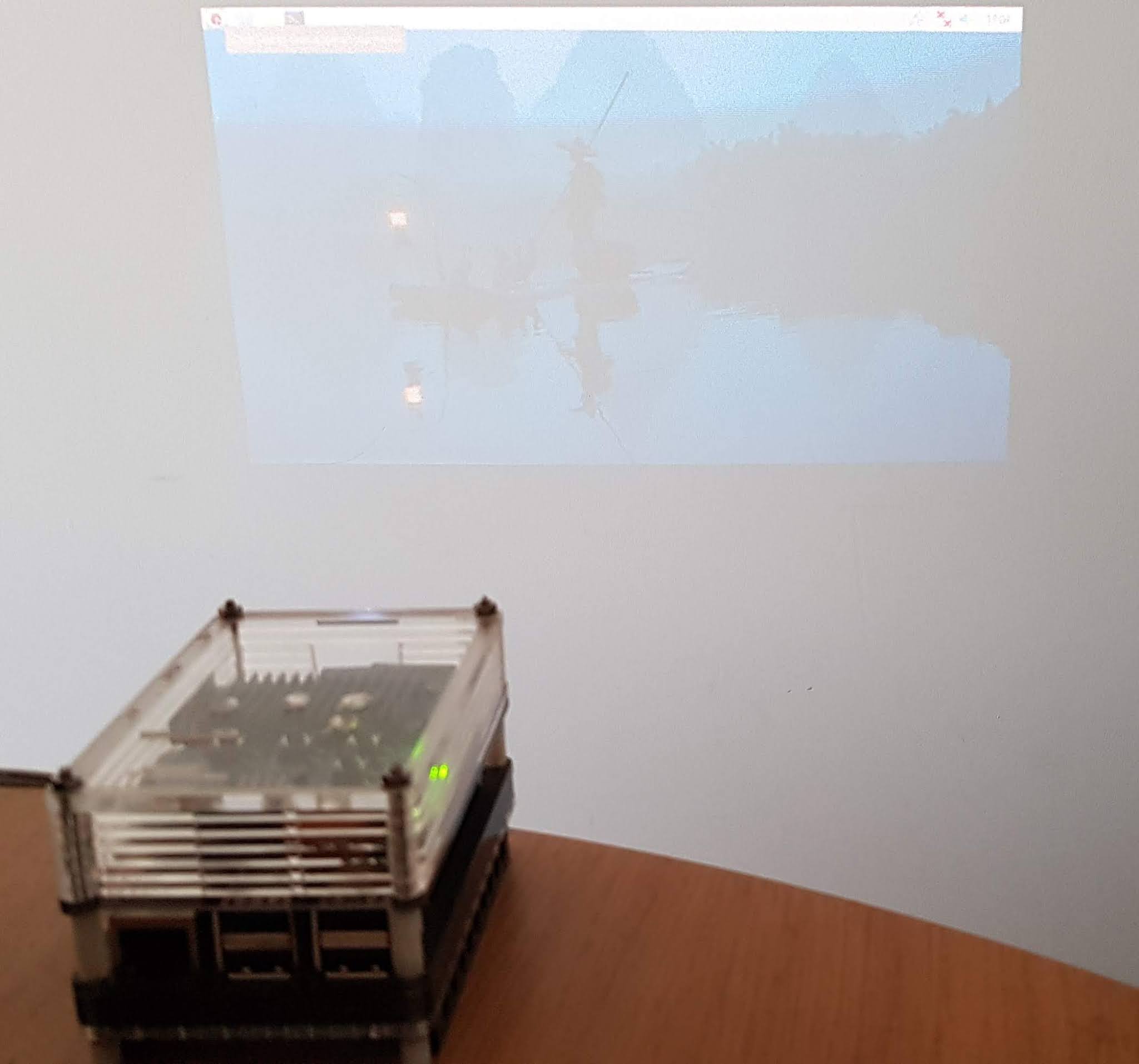
I ask, because I have still seen no reviews at all of this fine thing in any of the magazines, or online. Here’s mine. The paint on the study wall is not an ideal screen, and there’s too much ambient light, but still..
 
I’ve put HAT in quotes, because this is technically not a HAT, as it doesn’t have the usual ROM for the Pi to recognise it by.


I used a Pibow case from Pimoroni to house it, with some extension pieces to raise the top high enough, and a Lego compatible base, in case I want to build it into anything made from Technic pieces at some point. The case made the Pi 3B run hot, so I added a few spacers and a heat sink, and it currently runs at about 63°C when nothing is happening.
 
Still trying to think of a list of things it can do…

Scrolling text on a UnicornHatHD

Scrolling text on UnicornHatHD


I wanted scrolling text on the UnicornHatHD which has a 16×16 LED array, and could only find a program that would do it on the old UnicornHat with its 8×8 array. 

https://github.com/topshed/UnicornHatScroll

If you change a couple of lines in UHScroll.py, it works on the UnicornHatHD.

Change the definition of flip to:-

flip = [0,1,2,3,4,5,6,7,8,9,10,11,12,13,14,15]

and change the start of show_letter() to:-

def show_letter(letter,colour,brightness): 

    UH.rotation(0)        

    for i in range(16):

        for j in range(8):

That’s all you need to scroll text on the top 8 rows of LEDs. It should be fairly easy to use the lower 8 rows as well…

Useful? 

#RaspberryPi #Pimoroni #UnicornHatHD